How Much Would It Cost to Fix a Computer Screen? Full Pricing Guide

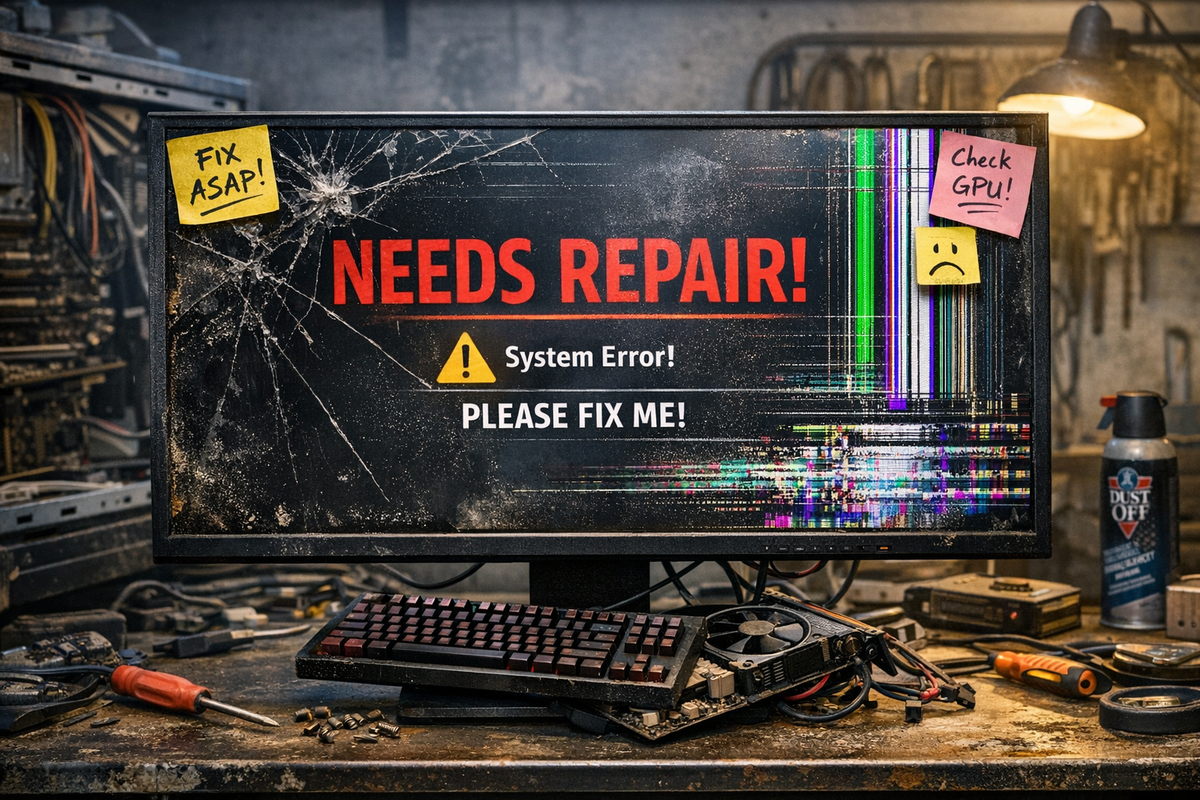
So, it happened. Maybe it was a "gravity test" that went wrong, or perhaps you closed your laptop with a stray charging cable sitting on the keyboard. Now you’re staring at a screen that looks less like a display and more like a high-tech spiderweb.
Look, I’ve been there. As your friendly neighborhood tech enthusiast who has definitely not (okay, maybe once) dropped a tablet into a bowl of soup, I know that initial "Ouch" feeling. It feels like your digital life is on hold and your bank account is about to take a massive hit. But before you start looking for a second job to afford a new rig, take a deep breath.
While a broken screen is the most visible "battle scar," it's often just one piece of the puzzle. If you're worried about other potential damages or just want to see how this fits into the bigger picture of maintenance, you should definitely check out this complete price guide for common computer repairs to get a bird's-eye view of the situation.
A broken screen is a bummer, but it’s not a death sentence for your hardware. Whether you're rocking a battle-scarred gaming laptop or a desktop monitor that met a stray Wii remote, there’s a fix for every budget. Let’s break down the real-world costs so you can stop squinting through cracks and get back to your pixels.
A cracked or broken computer screen can stop your work and leave you wondering about repair costs. Fixing a computer screen typically costs between $100 and $400 for laptops, while desktop monitor repairs usually range from $50 to $250. The final price depends on your device type, screen technology, and whether you need just the panel or the full assembly replaced.
Understanding what drives these costs helps you make a smart choice about repair versus replacement. Screen type matters a lot—standard LCD panels cost less than OLED or 4K displays. Your laptop model also plays a role, since ultrabooks and gaming laptops often need specialized parts and more labor time.
You have options beyond expensive manufacturer repairs. Professional repair services can handle most screen damage, or you might consider DIY replacement if you're comfortable with basic tools. This guide breaks down what you'll pay, what affects the price, and how to decide if fixing your screen makes financial sense.
Key Takeaways
- Laptop screen repairs cost $100-$400 while desktop monitor fixes run $50-$250 depending on the panel type and model
- Screen technology, device complexity, and labor rates are the main factors that determine your total repair bill
- Comparing repair quotes against replacement device costs helps you decide whether fixing your screen is worth the investment
Average Cost to Fix a Computer Screen
Screen repairs typically range from $75 to $400 for laptops and $50 to $300 for desktop monitors, with the final price depending on panel type, device age, and whether you choose original or aftermarket parts.
Typical Laptop Screen Repair Cost
Laptop screen repair cost averages between $180 and $400 for most devices. Basic repairs on older 13-inch models with standard LCD panels start around $75 to $130. These lower prices usually include non-OEM aftermarket parts and simple installations.
Mid-range repairs for 15.6-inch laptops with 1080p IPS displays cost $210 to $370. Premium devices with OLED panels, 4K resolution, or touch functionality push costs to $410 to $760. The screen panel itself accounts for most of the expense, ranging from $60 for basic aftermarket panels to $520 for high-end OEM replacements.
Labor charges add $50 to $200 depending on repair complexity. Simple screen swaps take 1 to 2 hours, while complicated disassembly on newer models requires 3 to 5 hours of work.
Common Desktop Monitor Repair Costs
Desktop monitor repair costs less than laptop fixes, typically running $70 to $300 total. Smaller monitors with basic TN or IPS panels fall on the lower end, while large curved displays with high refresh rates cost more. The average repair sits around $150 for standard monitors.
Monitor repairs usually take less time than laptop work, often just 30 minutes to 2 hours. This shorter labor time helps keep computer screen repair cost lower for desktop users. Parts range from $60 to $260 depending on panel size and technology.
Diagnostics fees may add $20 to $60, though many repair shops waive this charge if you proceed with the fix. Shipping costs for parts average $15 but can reach $40 for expedited delivery.
Screen Replacement Cost Ranges
Computer screen replacement varies by several factors beyond device type. OEM parts cost 50% more than aftermarket options but ensure exact fit and quality. Resolution matters too—basic 720p panels cost significantly less than 4K or OLED displays.
Touch-enabled screens add $80 to $150 to your total bill. Brightness levels and color accuracy specifications also affect pricing, with professional-grade color-accurate panels commanding premium prices. Regional differences shift costs by 5% to 20%, with urban areas charging more for labor but offering faster parts access.
Additional charges include rush service fees, temporary device rental during repairs, and data backup services. Some shops charge disposal fees for old panels. Warranty coverage adds $20 to $60 but protects against future issues with both parts and workmanship.
Main Factors That Impact Repair Costs
The price to fix your computer screen depends on several key elements. Your device type, screen technology, and the extent of damage all play significant roles in determining what you'll pay.
Device Type and Brand
The kind of device you own directly affects laptop screen replacement costs. Desktop monitors are typically the most affordable to repair, with fixes starting around $50 to $150. Laptop screen repair runs higher, generally between $100 and $500, because laptop screens are more complex to replace.
Premium brands charge more for repairs. If you have a MacBook, expect to pay $300 to $1,000 for screen replacement. Dell and Microsoft Surface devices fall in the mid-range at $150 to $600. Budget-friendly brands like HP, Lenovo, and Acer offer more affordable options, with repairs costing $40 to $350 depending on the model.
Authorized service centers use genuine parts but charge premium prices. Independent repair shops often provide lower rates for the same work. Your warranty status matters too—many manufacturers cover accidental damage within the warranty period.
Screen Type and Size
The technology in your screen significantly impacts repair costs. Basic LCD screens are the most economical to replace, ranging from $50 to $200. LED screens cost more at $150 to $300 because they offer better brightness and energy efficiency.
High-end displays like OLED and Retina screens can push costs to $300 to $600. These screens provide superior color accuracy and contrast but use expensive technology. Touchscreen laptops require digitizer replacement in addition to screen repair, which adds to the total cost.
Screen size also affects pricing. Smaller 11-13 inch screens typically cost $100 to $300 to replace. Larger 15-17 inch displays on gaming laptops or workstations run $150 to $800. Higher resolution screens always cost more than standard HD displays.
Severity and Type of Damage
A cracked laptop screen with minor damage costs less to fix than complete replacement. Small cracks where the display still functions might only need $50 to $150 in repairs. A cracked computer screen that's completely shattered requires full replacement at $150 to $500.
Internal damage complicates repairs. Backlight failures or damaged LCD panels require complete component replacement. A broken monitor screen with pixel damage or dead zones indicates panel failure, which is more expensive to fix than simple cracks.
The location of damage matters. Edge cracks are sometimes repairable, while center screen damage usually requires full replacement. Water damage or physical impact to internal components can increase costs beyond simple screen fixes.
Professional Repair vs. DIY Screen Replacement
DIY screen replacement typically costs $45-400 for parts alone, while professional repairs range from $130-800 including labor. Your choice depends on your technical skills, laptop type, and warranty status.
Benefits and Risks of DIY Repairs
DIY screen replacement saves you $80-400 in labor costs. You only pay for the replacement screen and basic tools like screwdrivers and plastic pry tools.
The process takes 30-60 minutes for most standard laptops. You'll need to remove the screen bezel, disconnect the video cable, and install the new panel. Many manufacturers like Dell, HP, and Lenovo design their laptops with user-accessible screens.
However, DIY carries real risks. You can damage other components during disassembly, especially the delicate video cable or screen bezel clips. Professional installation prevents $200+ in secondary damage that can occur from incorrect handling.
Major DIY risks include:
- Voiding your manufacturer warranty
- Breaking screen connectors or cables
- Cracking the new screen during installation
- Buying incompatible replacement parts
- Creating touch calibration issues on touchscreen models
When to Choose a Professional Service
You should use a third-party repair shop or authorized service center for MacBooks, touchscreen laptops, and 2-in-1 convertibles. These devices require specialized tools and calibration software you won't have at home.
Choose professional repair if your laptop is still under warranty. Opening your device voids most warranties, even if the original damage isn't covered. An authorized service center can access manufacturer-certified parts and maintain your warranty coverage.
Third-party repair shops typically charge less than authorized service centers. They offer 90-day warranties on repairs and complete the work within 1-3 hours. Look for shops with certified technicians who provide written quotes before starting work.
Choose professional service when:
- Your laptop uses glued components
- The repair requires heat guns or specialized equipment
- You need touchscreen calibration after replacement
- Your device is under manufacturer warranty
- You lack confidence in your technical abilities
Choosing a Repair Provider
Where you take your computer for screen repair affects both the price you pay and the quality of service you receive. Authorized service centers offer manufacturer-certified parts with warranty protection but charge premium prices, while third-party shops provide more affordable options with varying quality standards.
Authorized Service Centers
An authorized service center uses parts approved by your computer's manufacturer. These facilities employ technicians trained specifically on your brand's devices. You get genuine replacement screens that match factory specifications.
The main advantage is warranty protection. If something goes wrong after repair, the authorized service center will fix it at no extra cost. Your computer's existing warranty typically remains valid after an authorized repair.
The downside is higher cost. Authorized repairs usually run 20 to 40 percent more expensive than third-party options. You also face longer wait times since these centers often handle high customer volumes. Apple stores, Dell service centers, and HP authorized providers fall into this category.
Third-Party Repair Shops
A third-party repair shop operates independently from computer manufacturers. These businesses can fix screens for multiple brands at lower prices. They use aftermarket or refurbished parts that cost less than original equipment.
You save money with third-party options. Repairs typically cost 30 to 50 percent less than authorized centers. Many shops complete repairs faster, sometimes within a few hours. Local computer repair businesses and chains like uBreakiFix offer these services.
Quality varies significantly between shops. Some use high-quality aftermarket parts that perform like originals. Others install cheap components that fail quickly. Check online reviews before choosing a shop. Ask about part warranties and technician certifications. Be aware that third-party repairs may void your manufacturer warranty if your device is still covered.
Comparing Costs and Service Quality
Getting multiple quotes helps you find the best value. Call at least three different repair providers and ask for detailed price breakdowns. Request information about the parts they use and repair timeframes.
Key factors to compare:
- Total repair cost including labor and parts
- Part quality and origin (original, certified aftermarket, or generic)
- Warranty period on the repair work
- Estimated completion time
- Customer reviews and ratings
Price alone should not determine your choice. A $150 repair with a 90-day warranty using quality parts beats a $100 repair with no warranty and cheap components. Balance your budget against the value and age of your computer.
Breakdown of Common Repair Charges
Screen repair bills include several line items that vary based on your device and repair provider. Laptop screen replacement typically costs $100 to $400, while desktop monitor repairs range from $50 to $250.
Parts and Labor Fees
The panel itself represents the largest material expense in your repair. Standard LCD panels for laptops cost between $20 and $150, while OLED or 4K screens push that range to $260 or higher. Desktop monitor panels fall on the lower end at $20 to $120.
Labor charges depend on how long the repair takes. Most shops charge $40 to $150 per hour for technician time. A straightforward laptop screen swap takes 1 to 2 hours, while complex ultrabooks with adhesive screens need 3 hours or more.
Your total screen replacement cost combines both elements. A basic 15.6-inch laptop repair with a standard LCD panel and 1.5 hours of labor runs $150 to $260. Premium devices with specialized panels and intricate bezels can reach $350 to $520.
Diagnostic and Service Charges
Many repair shops charge diagnostic fees to assess your screen damage before quoting a final price. These fees range from $0 to $120, with an average around $60. Most providers waive this charge if you proceed with the repair.
Service call fees apply if a technician comes to your location instead of you bringing the device to a shop. Onsite repairs cost more due to travel time and setup requirements. In-shop repairs eliminate this expense and typically offer faster turnaround.
You should always ask whether the diagnostic fee applies toward your final bill. Some shops credit the fee against your repair total, while others keep it regardless of your decision.
Hidden and Additional Costs
Environmental disposal fees appear on some invoices for old screens. These charges range from $10 to $40 depending on the monitor size and local regulations.
Sales tax adds another layer to your final cost, typically 5% to 10% based on your location. A $200 repair becomes $210 to $220 after tax. Warranty coverage for parts and labor costs an extra $20 to $60 but protects you if the new panel fails within the coverage period.
Expedited service carries rush fees if you need your device back within 24 hours. Shops may also charge for screen recalibration on high-end displays to ensure proper color accuracy after installation.
Is Repairing Your Screen Worth It?
The decision to repair or replace depends on your device's age, the repair cost, and your performance needs. Most repairs cost less than buying new, but older devices with multiple issues may not be worth fixing.
When to Repair Versus Replace
Repair makes sense if your device is under 4-5 years old and still performs well for your daily tasks. Screen repair costs between $100 and $500, which is significantly cheaper than purchasing a new device.
You should replace your device if it's over 5 years old and showing other problems like slow performance, battery issues, or frequent crashes. Repairing the screen won't fix these other issues, and multiple repairs can quickly cost more than a new device.
Consider replacement if your screen repair quote exceeds 50% of your device's current value. For example, if your laptop is worth $400 and the repair costs $250, replacement might be smarter.
Screen Repair Value for Different Devices
Budget laptops and older monitors often aren't worth repairing because the computer screen repair cost can equal or exceed their replacement value. A $150 repair on a $200 laptop doesn't make financial sense.
Mid-range laptops between $500-$1000 are usually worth repairing since screen fixes typically cost $200-$400. You save money and keep a device that still meets your needs.
Premium laptops and high-end monitors are almost always worth repairing. These devices cost $1500 or more to replace, making a $300-$500 screen repair a good investment. Desktop monitors are generally cheaper to replace than laptop screens, so compare new monitor prices before committing to repairs.
The Verdict: To Fix or To Upgrade?
At the end of the day, a cracked screen is just a temporary glitch in your digital journey. It’s annoying, sure, but now you have the "cheat codes" to navigate the repair costs.
My "geek-friend" advice? Always remember the 50% Rule: if the repair quote is more than half the current resale value of your computer, it might be time to pour one out for your old friend and start shopping for a new one. But if you have a premium machine or a laptop that still has plenty of life in its CPU, spending a few hundred bucks to get a crisp, new display is a total win for your wallet and the planet.
Whether you decide to hand it over to the pros who actually know where all those microscopic screws go, or you're feeling brave enough to go full "Mad Scientist" and DIY the replacement, just know you’ve got this. Save that hardware, save your cash, and maybe—just maybe—consider a screen protector or a sturdier case this time around? (Just kidding... mostly.)
Frequently Asked Questions
Laptop screen repairs typically cost between $100 and $400, while desktop monitor fixes range from $50 to $250. The final price depends on your device type, screen technology, and whether you choose manufacturer or third-party service.
What is the typical price range for laptop screen repair services?
Laptop screen replacement costs typically fall between $100 and $500, depending on your device brand and the type of damage. Standard LCD panels on mid-range laptops usually cost $150 to $260 for parts and labor combined.
High-end devices with OLED or 4K displays can push your total to $350 or higher. The price to fix a laptop screen includes both the replacement panel and labor charges, which average $90 per hour.
Are third-party repair services less expensive than Best Buy for fixing a laptop screen?
Third-party repair shops often charge less than big-box retailers for screen replacements. Independent technicians may quote $100 to $250 for the same repair that costs $200 to $400 at major chains.
You can save money by comparing quotes from local repair shops. However, third-party services may use aftermarket parts instead of original manufacturer components, which can affect quality and warranty coverage.
Can a PC monitor screen be repaired, and what could be the expected cost?
PC monitor screens can be repaired, but desktop monitor repairs typically cost $50 to $250 depending on the panel type. Many technicians recommend replacing the entire monitor instead since new displays often cost less than repair work.
If you have a high-end monitor with specialized features, repair might make financial sense. Standard LCD and LED panels are usually cheaper to replace than fix.
Is it more cost-effective to repair or replace a damaged computer screen?
The answer depends on your device's age and value. If your laptop is newer or has high resale value, repair makes sense when it costs less than half the device's worth.
For older devices or basic models, replacement might be smarter. A new budget laptop costs $300 to $500, which is similar to repairing an expensive screen on an outdated machine.
Desktop monitors are usually cheaper to replace outright. You can find quality new monitors for $100 to $200, making repair less appealing unless you own a premium display.
How much does the Geek Squad typically charge for laptop screen repairs?
Geek Squad pricing varies by device model and screen type, but you should expect costs in the $200 to $400 range for most laptops. This price includes their diagnostic fee, parts, and labor.
Best Buy's authorized service uses manufacturer-approved parts, which raises costs compared to independent shops. They offer warranties on their repair work, adding value if you want guaranteed quality.
What factors influence the cost of repairing a computer screen?
Screen technology plays the biggest role in repair costs. OLED and 4K panels cost significantly more than standard LCD displays, with panels alone ranging from $20 to $260.
Your device model affects pricing because some laptops require specialized tools or extra disassembly time. Ultrabooks with adhesive-sealed screens take longer to repair than models with snap-on bezels.
Labor rates vary by location and service provider. Urban repair shops charge $90 to $150 per hour, while rural technicians may charge $40 to $90 for the same work.
Parts availability impacts your final bill. Older or rare models require hard-to-find panels that cost more and take longer to source.