How Much Does It Cost to Fix a Computer: Complete Price Guide for Common Repairs

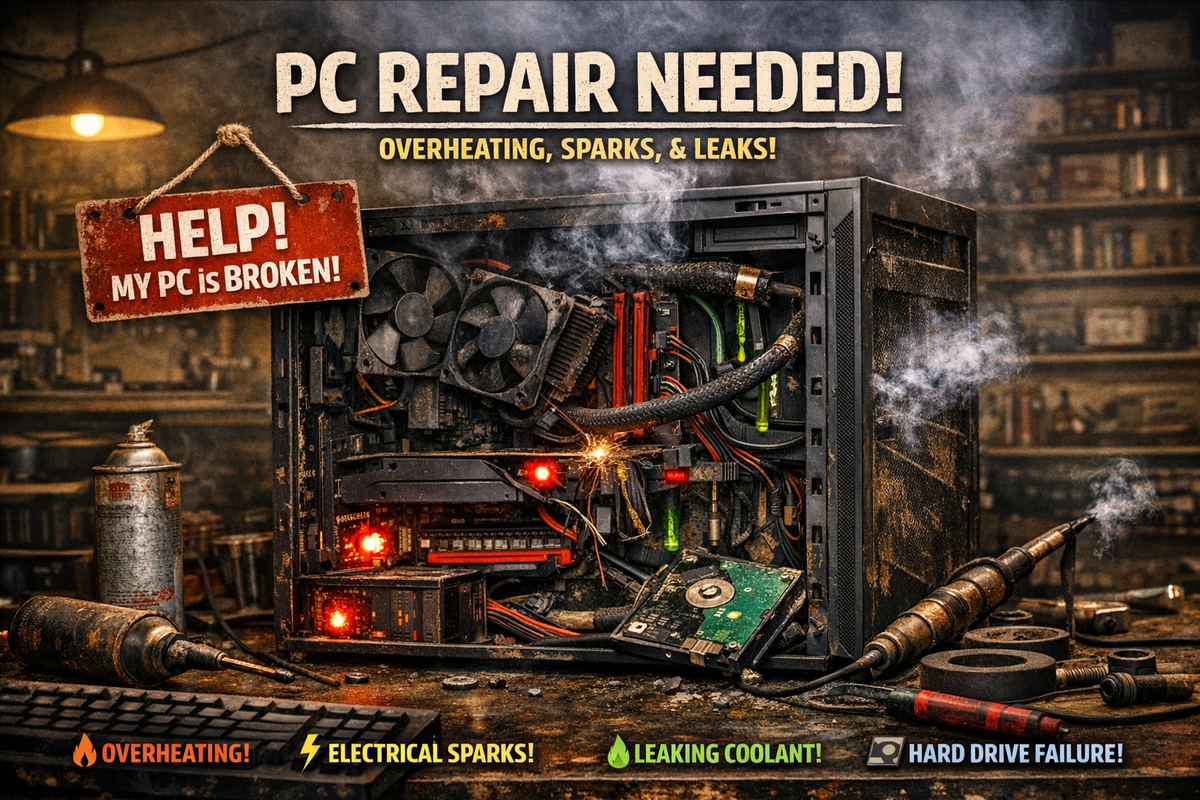
Hey there, fellow survivor of the "Blue Screen of Doom." Pull up a chair and let’s have a heart-to-heart. There is a specific, cold shiver that runs down a person’s spine when they press the power button and... nothing. Or worse, when your computer starts making a noise like a blender full of gravel right when you have a deadline breathing down your neck.
As your friendly neighborhood tech enthusiast—the guy who usually has a stray thermal paste stain on his shirt and a drawer full of "screws that definitely weren't important"—I’m here to tell you: Don’t panic. Your computer isn't necessarily headed for the big e-waste bin in the sky, and you probably won't have to sell a kidney to fix it.
The world of computer repair can feel like a dark forest filled with confusing jargon and varying price tags. Is that $100 quote a bargain or a highway robbery? Should you try the "surgical" DIY approach or leave it to the pros? I’ve put together this complete guide to help you navigate the costs of bringing your machine back to life. Let’s break down the numbers so you can stop stressing and start clicking again.
When your computer breaks down, one of the first questions you ask is how much it will cost to fix. Computer repair costs typically range from $50 to $150 per hour for labor, with basic repairs starting around $50 and complex issues running several hundred dollars or more. Understanding these costs helps you budget and decide whether to repair or replace your device.
The final price depends on several factors. The type of problem matters, whether it's a simple software issue or a major hardware failure. Where you take your computer also affects the cost, as repair prices vary between service providers.
This guide breaks down what you can expect to pay for different types of repairs. You'll learn about labor rates, common repair costs, and ways to save money. By the end, you'll know how to get accurate estimates and make smart decisions about fixing your computer.
Key Takeaways
- Most computer repairs cost between $50 and $150 per hour, with total costs depending on the complexity of the problem
- Basic software fixes and virus removal are less expensive than hardware replacements or data recovery services
- Getting multiple estimates and considering DIY options can help you save money on repairs
Average Cost to Fix a Computer
Computer repair prices typically fall between $50 and $150 for most common issues, though costs can vary based on the problem and where you get service. Understanding what influences these prices helps you budget appropriately and avoid overpaying.
Typical Price Range
Basic computer repair costs average around $65 for standard services. When you need professional help, expect to pay between $50 and $150 for most laptop and PC repairs.
The hourly rate for computer technicians ranges from $50 to $150, plus any parts needed. Basic troubleshooting typically starts at $50 to $100 for simpler problems.
National average prices currently sit between $119 and $169 according to recent data. More complex repairs like hardware replacements or data recovery can cost several hundred dollars depending on what needs fixing.
If you need a diagnostic test first, professional laptop diagnostics cost between $30 and $75. This service identifies problems before any actual repair work begins.
Factors That Affect Total Cost
The type of repair needed has the biggest impact on your final bill. Software issues and virus removal generally cost less than physical hardware replacements.
Your computer type matters too. Macs often cost more to repair than Windows PCs because parts are pricier and require specialized knowledge. Desktop repairs frequently cost less than laptop repairs since parts are easier to access and replace.
The specific component needing replacement changes the price significantly. A new keyboard costs much less than a motherboard or logic board replacement. Labor time also affects cost since complex repairs take longer to complete.
Where you live influences pricing as well. Urban areas with higher costs of living typically charge more for tech services than rural locations. Whether you choose an independent shop or manufacturer service also impacts the final price.
Comparing Desktop and Laptop Repair Costs
Desktop computers usually cost less to repair than laptops. Their parts are more accessible and standardized, which makes repairs faster and simpler for technicians.
Laptops require more time and skill because components are compact and tightly integrated. You often pay higher labor costs for laptop repairs since technicians need to carefully disassemble smaller, more delicate parts.
Desktop advantages:
- Easier part access
- More standardized components
- Lower parts costs
- Simpler upgrade options
Laptop considerations:
- Specialized parts needed
- More complex disassembly
- Higher labor time
- Limited upgrade potential
The gap narrows when both need the same type of repair, like virus removal or software troubleshooting. These services cost roughly the same regardless of whether you have a desktop or laptop.
Common Computer Repairs and Their Prices
Most computer repairs fall into three main categories with costs ranging from basic software fixes at $50 to complex hardware replacements that can exceed $300. The final price depends on whether you need simple troubleshooting, new parts, or security cleaning.
Software Troubleshooting
Software problems are usually the most affordable repairs you'll face. Basic troubleshooting starts around $50 to $100 when you hire a technician to diagnose and fix issues like crashes, slow performance, or program errors.
Operating system reinstalls typically cost between $40 and $100. This includes backing up your files and setting up a fresh version of Windows or macOS. Driver updates and software configuration fixes fall into the same price range.
You might pay $60 to $120 for fixes related to software conflicts or registry errors. These repairs take less time than hardware work since technicians don't need to order parts or open your computer. Most software repairs can be completed in one to two hours, which keeps labor costs lower than physical repairs.
Hardware Replacement Costs
Hardware repairs cost more because you pay for both parts and labor. Hard drive replacements range from $100 to $300 depending on whether you choose a traditional drive or faster solid-state drive. Memory upgrades typically cost $75 to $200 including installation.
Screen replacements are among the pricier repairs. Laptop screens cost $150 to $400 based on size and quality. Desktop monitors need full replacement rather than repair, which isn't included in standard computer repair services.
Common Hardware Repair Costs:
- Keyboard replacement: $80-$150
- Battery replacement: $50-$150
- Power supply: $75-$200
- Motherboard repair: $200-$500
Fan cleaning and thermal paste application cost $50 to $100. These maintenance tasks prevent overheating and extend your computer's life.
Virus and Malware Removal
Virus and malware removal services typically cost $75 to $150 for standard infections. The price includes scanning your system, removing threats, and installing protection software. More severe infections with ransomware or rootkits can cost $150 to $300.
Technicians spend one to three hours on virus removal depending on infection severity. They'll remove malicious programs, clean your browser settings, and check for stolen data. Some services include follow-up scans to confirm your system stays clean.
Data recovery after malware damage can cost several hundred dollars if files get encrypted or deleted. Prevention is cheaper than recovery, so regular antivirus updates save money long-term.
Labor Rates and Service Fees
Computer repair technicians typically charge between $50 and $150 per hour for their services. The amount you pay depends on whether you choose hourly billing or a flat fee for specific repairs.
Hourly Rates by Technician Type
Computer repair services average around $65 per hour across most locations. Independent technicians often charge $50 to $75 per hour, while established repair shops may charge $75 to $100 per hour.
Specialized technicians command higher rates. Apple-certified technicians and data recovery specialists typically charge $100 to $150 per hour due to their advanced training and expertise. Corporate IT professionals who offer after-hours service usually fall at the higher end of the pricing range.
Your location affects labor costs significantly. Technicians in major cities charge more than those in rural areas. Most basic repairs can be completed within one hour, though complex issues may require additional time.
Flat Fee Versus Hourly Billing
Many repair shops offer flat-rate pricing for common problems like virus removal or software installation. You pay a set price regardless of how long the repair takes. This approach works well for standard repairs where the scope of work is predictable.
Hourly billing makes more sense for diagnostic work or complex hardware failures. You only pay for the actual time spent on your computer. However, the hourly rate does not include costs for replacement parts, which are billed separately.
Some technicians charge additional fees beyond their base rate. Call-out fees range from $25 to $75 if the technician comes to your location. Weekend or emergency service typically adds 25% to 50% to the standard rate.
Cost by Type of Repair Shop
Where you take your computer for repairs significantly affects the price you pay. Independent shops typically charge $50 to $100 per hour, while manufacturer service centers and big box retailers have different pricing structures based on their overhead costs and warranty policies.
Independent Repair Shops
Independent repair shops usually offer the most competitive rates for computer repairs. The average hourly rate ranges from $50 to $150, depending on your location and the shop's expertise.
These shops often charge lower prices because they have less overhead than larger companies. You can negotiate prices more easily at independent shops, and many offer free diagnostics to attract customers. They typically provide faster turnaround times since they're not following corporate protocols.
Independent technicians can work on any brand of computer without voiding warranties on older devices. They also tend to use third-party parts, which cost less than original manufacturer parts. This flexibility allows them to pass savings directly to you.
Manufacturer Service Centers
Authorized service centers charge premium prices for their repairs. You'll typically pay 20% to 50% more than independent shops, but you get guaranteed authentic parts and certified technicians.
These centers are your best option if your computer is still under warranty. They use only original equipment manufacturer parts, which ensures compatibility but increases costs. Authorized service centers for your computer brand follow strict repair protocols set by the manufacturer.
The main advantage is that repairs won't void your warranty. However, service centers often have longer wait times due to their structured processes. They may also require you to ship your device to a central repair facility, adding several days to the repair timeline.
Big Box Retailers
Major retailers like Best Buy offer convenient computer repair services with standardized pricing. Their rates fall between independent shops and manufacturer service centers, typically charging $100 to $200 for common repairs.
These stores provide the convenience of walk-in service without appointments. They offer fixed-price services for common problems like virus removal or screen replacement. You can drop off your computer while shopping and pick it up within a few days.
Big box retailers often run promotions and accept coupons, which can reduce your total cost. Their technicians handle multiple brands but may have less specialized knowledge than independent experts. They typically outsource complex repairs to third-party facilities, which can extend repair times.
Do-It-Yourself vs. Professional Repair Costs
Fixing your computer yourself can save you $50 to $150 on labor costs for basic repairs, but mistakes can turn a $100 problem into a $300 disaster. Understanding when to grab your screwdriver and when to call a professional protects both your wallet and your computer.
Potential Savings of DIY Repairs
You can save significant money by handling simple repairs yourself. Professional labor typically costs $50 to $150 per hour, which you avoid completely with DIY fixes.
Basic upgrades like adding RAM or replacing a hard drive only require the cost of parts. An 8GB RAM stick costs $25 to $40, while a shop charges $75 to $125 for the same upgrade including installation. A new hard drive runs $50 to $100 for parts, compared to $150 to $250 at a repair shop.
Software fixes offer even bigger savings. Computer owners can benefit from understanding PC repair costs to make informed decisions. Virus removal costs $100 to $200 professionally, but you can handle it free with downloaded antivirus tools. Operating system reinstallation costs $75 to $150 at a shop but only requires your time if you do it yourself.
Common DIY savings:
- RAM upgrade: Save $50-$85
- Hard drive replacement: Save $75-$125
- Virus removal: Save $100-$200
- OS reinstall: Save $75-$150
Risks and Considerations of DIY
DIY repairs carry real risks that can increase your total costs. You might break additional components while working, void your warranty, or spend hours on a fix that takes professionals minutes.
What takes a professional two hours might take you two days. Your time has value. If you earn $25 per hour and spend eight hours on a repair, you've lost $200 in potential earnings.
Static electricity can destroy your motherboard in seconds. A $15 part replacement becomes a $300 motherboard replacement if you're not careful. Without proper tools and knowledge, you might strip screws, damage connectors, or incorrectly install components.
Sometimes DIY repairs turn into weekend-long headaches that end with calling a professional anyway. You'll pay full price for professional help plus the cost of any parts you already bought or damage you caused.
Key DIY risks:
- Accidental damage to other parts
- Voided warranties
- Wasted time on failed repairs
- Cost of wrong parts purchased
- Missing diagnostic tools
Additional Expenses to Consider
Beyond the basic repair fee, you may face costs for new hardware components or professional data recovery services that can significantly increase your total bill.
Replacement Parts and Components
When your computer needs new parts, you'll pay for both the components and the labor to install them. Hard drives typically cost between $50 and $200 depending on capacity and type. Solid-state drives run higher but offer better performance.
RAM upgrades range from $30 to $150 based on how much memory you need. If your motherboard fails, expect to pay $150 to $300 for the part alone. Graphics cards vary widely from $100 for basic models to $500 or more for high-performance options.
Screen replacements for laptops cost $100 to $300 depending on size and quality. Keyboards run $50 to $150 for laptops, while desktop keyboards cost much less. Power supplies typically range from $40 to $100.
Your technician may charge a markup on parts, so ask about their pricing policy. Some repair services offer flat-rate pricing for common replacements, which can help you budget more accurately.
Data Recovery Fees
Data recovery services cost extra when your files become inaccessible due to drive failure or corruption. Basic recovery from a working drive runs $100 to $300. More complex cases involving physical damage cost $500 to $1,500 or more.
The price depends on how damaged your drive is and how much data needs recovery. Files deleted by accident cost less to retrieve than data from a drive with physical damage. You'll pay more for rush services if you need your files quickly.
Many technicians charge an evaluation fee of $50 to $100 just to assess whether recovery is possible. This fee may apply to your total cost if you proceed with the service.
How to Get Accurate Repair Estimates
Getting detailed quotes from multiple repair shops and checking your warranty status will help you understand the true cost of fixing your computer.
Requesting Quotes
Contact at least three different repair shops to compare prices before choosing where to fix your computer. When you call or visit, describe the exact problem your computer is having in as much detail as possible. Mention any error messages, unusual sounds, or specific symptoms you've noticed.
Ask each shop for a written estimate that breaks down the costs. The estimate should list labor charges separately from parts costs. Most shops charge between $50 and $150 per hour for labor, but this varies by location and the complexity of your repair.
Computer repair estimate calculators let you enter your computer's symptoms and hardware details to get a general cost range. These tools give you a baseline to compare against the quotes you receive from actual repair shops.
Request that shops contact you before doing any work that exceeds the original estimate. Some repairs reveal additional problems once the technician opens up your computer.
Evaluating Warranty Coverage
Check if your computer is still under the manufacturer's warranty before paying for repairs. Most new computers come with a one-year warranty that covers hardware failures and defects. You can find your warranty status by entering your serial number on the manufacturer's website.
Extended warranties and protection plans may cover accidental damage like spills or drops. Review your warranty documents or contact the retailer where you bought your computer to understand what's included.
Some credit cards offer purchase protection that extends manufacturer warranties by an additional year. Check with your card issuer if you used a credit card to buy your computer. If your computer qualifies for warranty service, the manufacturer will repair it at no cost to you.
Saving Money on Computer Repairs
Regular upkeep can prevent costly breakdowns, and selecting a qualified technician ensures you pay fair prices for quality work.
Preventative Maintenance Tips
Basic computer maintenance can help you avoid expensive repairs down the road. Keep your computer clean by removing dust from vents and fans every few months with compressed air. This prevents overheating that can damage internal components.
Install antivirus software (unless it is built into your system) and keep it updated to block malware that could require professional virus removal costing $80 to $150. Run regular system updates for your operating system and applications to fix security holes and bugs.
Back up your important files to an external drive or cloud storage. If your hard drive fails, you won't need to pay for data recovery services that can cost several hundred dollars. Delete unused programs and files to keep your system running smoothly.
Replace your laptop battery before it completely dies to avoid unexpected shutdowns that could corrupt your files. Most laptop battery replacements cost $120 to $200.
Choosing the Right Repair Provider
Compare prices from multiple repair shops before committing to service. National average repair prices range from $119 to $169, but rates vary by location and provider.
Ask about diagnostic fees upfront. Some shops charge between $50 and $100 just to identify the problem. Find out if this fee applies toward your final repair cost.
Check reviews and credentials to ensure the technician has experience with your type of computer. Request a detailed estimate that includes parts and labor before authorizing any work. Avoid shops that give vague quotes or pressure you into unnecessary services.
Consider independent repair shops instead of manufacturer service centers. They often charge less for labor while using quality replacement parts. For simple issues like software troubleshooting, you might pay closer to the lower end of typical hourly rates of $50 to $150.
Conclusion: Take a Deep Breath, It’s Only Silicon
So, there you have it—the full "damage report" for your digital companion. I know, looking at a $300 motherboard quote can feel like a punch in the gut, but remember: even the best hardware isn't immortal. Whether you decide to perform a heroic DIY surgery with a YouTube tutorial as your guide, or you hand your "patient" over to a pro at a local shop, you’re now making that choice with your eyes wide open.
In the grand scheme of things, most computer issues are just temporary hiccups. If the repair cost is looking a bit too close to the price of a brand-new machine, don't feel guilty about moving on. Sometimes, the best "fix" is a fresh start (and maybe a faster SSD in the process).
Whatever you choose, just remember to keep those vents clean and back up your data—because the "silicon gods" are fickle, and "I’ll do it tomorrow" is a dangerous game to play with a clicking hard drive. You’ve got this!
Is your PC currently making a sound it definitely shouldn't, or are you staring at a mysterious error code? Tell me what’s going on—I’d love to help you figure out if it’s a 'five-minute fix' or time to call in the professionals!
Frequently Asked Questions
Screen replacements typically range from $100 to $300, while professional tech support services charge between $50 and $150 per hour for most repairs.
What is the average cost to repair a laptop screen?
Laptop screen repairs usually cost between $100 and $300 depending on your device model and screen size. High-end laptops with specialized displays can cost more to fix than basic models.
The price includes both the replacement screen and labor fees. You should expect to pay more for touchscreen displays or 4K resolution screens.
What are the charges for laptop repair services at major electronics retailers like Best Buy?
Major electronics retailers typically charge diagnostic fees ranging from $30 to $75 to identify problems with your computer. After the diagnosis, you'll receive a quote for the actual repair work.
Labor rates at these stores usually fall between $50 and $100 per hour. Parts like hard drives, keyboards, and batteries are charged separately on top of the labor costs.
What are the fees associated with Geek Squad's laptop repair services?
Geek Squad offers various service plans and pricing tiers for different types of repairs. Their basic diagnostic service helps identify what's wrong with your device before you commit to repairs.
You can choose between one-time repair services or subscription-based tech support plans. The exact cost depends on whether you need hardware replacement, software fixes, or virus removal.
Is repairing an older computer financially justified compared to buying a new one?
You should consider repair costs against your computer's current value and age. If repairs cost more than 50% of a new computer's price, replacement often makes more financial sense.
Computers older than five years may not be worth expensive repairs. You'll need to factor in whether an old device can run modern software even after repairs.
How does one decide whether to repair or replace a malfunctioning PC?
Compare the computer repair cost against buying a comparable new device. Minor issues like software problems or simple hardware swaps usually justify repair.
Consider how well your current computer meets your needs. If you're already experiencing slow performance or compatibility issues, a new computer might serve you better than an expensive repair.
Your budget and timeline also matter in this decision. Emergency replacements can be costly, so repairing might buy you time to save for a better upgrade.