How Much VRAM is Needed for Smooth Gaming at 1080p, 1440p & 4K? (The 2026 Definitive Guide)

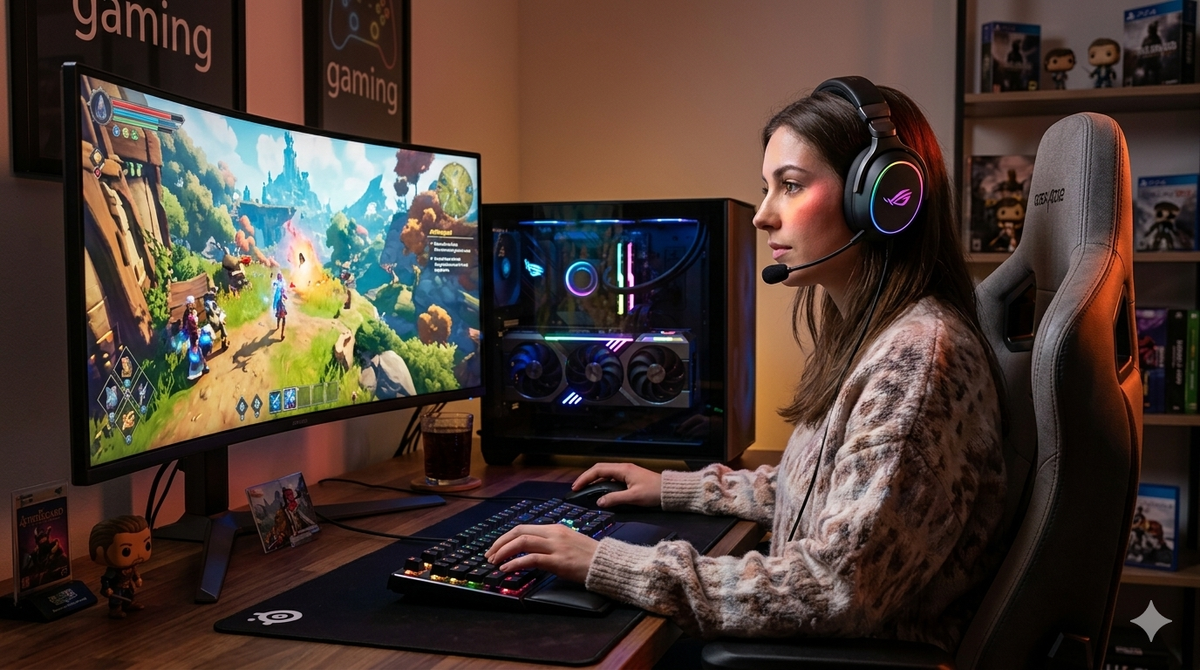
In the rapidly evolving world of PC gaming, few acronyms spark as much heated debate as VRAM (Video Random Access Memory). For years, 8GB was considered the "gold standard" for almost any resolution. However, as we move through 2026, the landscape has shifted dramatically. With the emergence of Unreal Engine 5 as the industry standard and the aggressive integration of AI-driven technologies like DLSS 4.5 and FSR 4, the memory requirements for a "smooth" experience have been rewritten.
If you are currently building a PC or looking to upgrade your GPU, understanding these requirements is the difference between a high-performance rig and a stuttering slideshow. This guide dives deep into exactly how much VRAM you need in 2026, building upon the critical warning that buying budget GPUs with low VRAM is a costly mistake.
What is VRAM and Why Does It Matter More in 2026?
VRAM is the dedicated memory on your graphics card used to store the graphical data the GPU needs to render images on your screen. This includes textures, shadow maps, vertex buffers, and the frame buffer itself.
In 2026, VRAM matters more than ever because modern game engines have moved toward "high-fidelity" asset streaming. Instead of loading a level and keeping it static, modern games constantly stream massive 4K and 8K texture assets directly from your storage to your VRAM. If your GPU runs out of this dedicated space, it must "swap" data with your system RAM, which is significantly slower. This leads to the "stuttering" and "texture pop-in" that haunt many budget builds.
Key Factors Driving VRAM Consumption
Before we look at the numbers for each resolution, we must understand what is eating up your memory. It isn't just the pixels on the screen.
High-Resolution Textures & Asset Streaming
Textures are the single biggest consumer of VRAM. A game like Cyberpunk 2077 or the latest Elder Scrolls titles uses "Ultra" texture packs that can easily occupy 8GB to 10GB of VRAM on their own, regardless of the resolution. In 2026, developers are utilizing DirectStorage 1.2+, which allows for even faster asset streaming, but this requires a healthy VRAM buffer to act as a staging area.
The Resolution Tax: 1080p vs. 1440p vs. 4K
While textures take up the most space, the resolution itself dictates the size of the Frame Buffer. This is the space where the final image is "held" before being sent to your monitor.
- 1080p (2 million pixels) has a relatively light buffer.
- 1440p (3.7 million pixels) increases this demand significantly.
- 4K (8.3 million pixels) requires a massive buffer, often quadrupling the memory footprint of the frame itself compared to 1080p.
Ray Tracing and Path Tracing (The VRAM Killers)
Ray tracing (RT) simulates the physical behavior of light. To do this, the GPU needs to store a Bounding Volume Hierarchy (BVH)—essentially a 3D map of every object in the scene—to calculate light bounces. In 2026, "Path Tracing" has become more common in AAA titles, and this technology can add an extra 2GB to 4GB of VRAM overhead just to handle the lighting data.
Upscaling and Frame Generation (DLSS 4.5 & FSR 4)
Counter-intuitively, AI upscaling and frame generation can actually increase VRAM usage. While upscaling renders the game at a lower internal resolution (saving VRAM), the AI models and frame interpolation buffers (which store previous and future frames to "generate" new ones) require their own dedicated space. On modern RTX 50-series cards, DLSS 4.5's "Multi-Frame Gen" can add nearly 1GB of VRAM usage compared to native rendering.
VRAM Requirements by Resolution: 2026 Benchmarks
Based on current testing of AAA titles released between 2024 and 2026, here is the breakdown of what is required for a truly "smooth" (consistent 1% lows) experience.
1080p Gaming: The Final Stand for 8GB (But that would not be forward-thinking)
For years, 8GB was the king of 1080p. In 2026, it is officially the bare minimum.
- Minimum: 8GB (Fine for Medium/High settings in most titles).
- Recommended: 10GB - 12GB (Required for Ultra settings and Ray Tracing).
At 1080p, you can still get away with an 8GB card like the NVIDIA RTX 5050 or older RTX 4060, but you will likely see "VRAM Warnings" in games using Unreal Engine 5. To maintain 60+ FPS without stuttering on "High" presets, 8GB is sufficient, but "Ultra" is quickly becoming out of reach.
1440p Gaming: Finding the Sweet Spot (12GB vs. 16GB)
1440p is now the most popular resolution for enthusiast gamers. The leap from 1080p to 1440p is where VRAM limitations become painfully obvious.
- Minimum: 10GB (Will require lowering settings in 2026 AAA games).
- Recommended: 12GB - 16GB (The current "Sweet Spot").
Cards like the AMD Radeon RX 9070 XT with 16GB of VRAM have become the gold standard here. A 12GB card (like the RTX 5070) is generally sufficient, but if you enable Path Tracing or heavy mods in games like Grand Theft Auto VI, you will find yourself right at the limit. For a detailed look at why 12GB is becoming the new baseline, check out the Steam Hardware Survey trends.
4K Gaming: 16GB is No Longer "Overkill"
In 2026, 4K gaming is a different beast entirely. Between high-res texture packs and the sheer pixel count, 4K is where GPUs go to die.
- Minimum: 12GB (Only possible with aggressive DLSS/FSR "Performance" modes).
- Recommended: 16GB - 24GB.
If you are playing at 4K, you likely want the best visuals. Enabling "Ultra" textures and Ray Tracing at 4K will easily push VRAM usage past 14GB. Enthusiast cards like the RTX 5090 (32GB) or RX 9900 XTX (24GB) provide the headroom needed to ensure that "1% low" frame rates stay high, preventing the jarring micro-stutter that occurs when VRAM is maxed out.
The 8GB VRAM Trap: Why Budget GPUs Can Be a Costly Mistake
Many "budget" cards in 2025 and 2026 are still launching with 8GB of VRAM. While the price tag is attractive, this is often a "trap" for the uninformed consumer. As highlighted by my analysis of budget GPUs, these cards often have powerful enough cores to run games at high settings, but they are "choked" by their memory capacity.
When a GPU core is fast enough to push 80 FPS, but the VRAM is full, the game will drop to 15 FPS momentarily as it clears memory. This makes the game feel worse than if it were running at a consistent 30 FPS. Buying an 8GB card in 2026 for anything other than competitive eSports (Valorant, CS2, Overwatch 3) is a short-term saving that leads to a long-term headache.
Pro Tip: If your budget is tight, it is often better to buy a previous-generation card with more VRAM (like an RTX 4070 Ti 16GB or RX 7900 GRE) than a brand-new current-gen card with only 8GB.
Technical Deep Dive: Allocation vs. Actual Usage
One confusing aspect of VRAM is the difference between Allocation and Actual Usage.
- Allocation: How much VRAM the game "requests" or "reserves" from the system. Many games will "allocate" 12GB if it's available, even if they only need 9GB, just to be safe.
- Actual Usage: The data actually being utilized for the current frame.
In 2026, modern diagnostic tools (like MSI Afterburner or HWInfo) allow you to see both. If you see your "Allocation" is equal to your total VRAM (e.g., 8GB/8GB), you are in the "Danger Zone." This means the game wants more but is being forced to make do, which usually results in lower-quality textures being "swapped" in and out, causing visual pop-in.
Future-Proofing: How Much VRAM Should You Buy?
If you want your graphics card to last for the next 3 to 4 years (until the end of this generation), you should aim for the following targets:
| Resolution | Recommended VRAM (2026-2029) | Target GPU Example |
| 1080p | 12GB | Intel Arc B580 / RTX 5060 Ti (12GB) |
| 1440p | 16GB | RX 9070 XT / RTX 5070 Ti |
| 4K | 20GB+ | RTX 5090 / RX 9900 XTX |
The "Consolization" Effect
Why are these numbers so high? Much of it comes down to the PlayStation 6 rumors and the "Mid-Gen Refreshes" of the current consoles. Consoles use a unified memory architecture (usually 16GB to 24GB of shared GDDR6). Because developers optimize for consoles first, PC ports often require at least as much VRAM as the console has total memory to account for the lack of a "unified" pool on PC.
Conclusion: Don't Compromise on Memory
In 2026, the era of "8GB is enough" has officially ended. While you can still enjoy thousands of older titles and competitive shooters on lower-memory cards, the AAA industry has moved on. For a smooth, stutter-free experience that justifies the cost of a modern gaming PC, 12GB is the new baseline for 1080p/1440p, and 16GB is the entry-point for 4K.
Choosing a GPU with insufficient VRAM is like buying a Ferrari with a one-gallon fuel tank; the engine is capable of incredible speeds, but you'll be stopping every few seconds to refuel. Invest in the VRAM today so you aren't forced to upgrade again tomorrow.